

Choose the right report
Match the report to the question, then check its limits.
Open Reporting → Generate report, then choose the row for your question. Follow the complete report walkthrough for options, generation, and export.
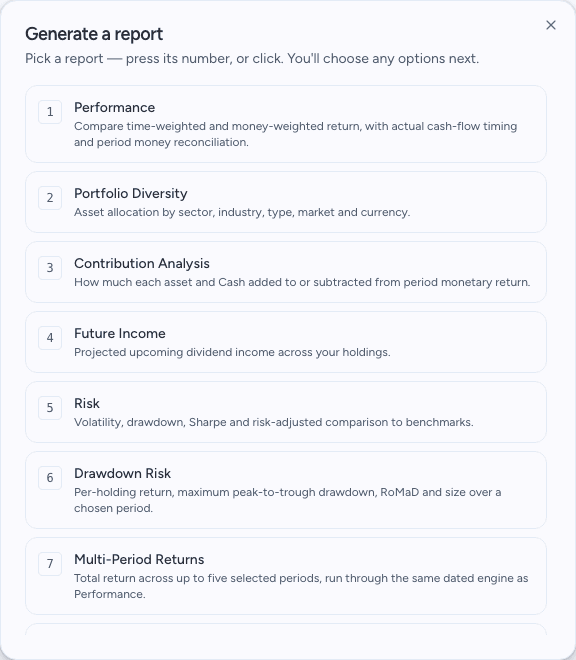
The report picker is where you make this choice. Choose from the current thirteen-report catalogue. View full size
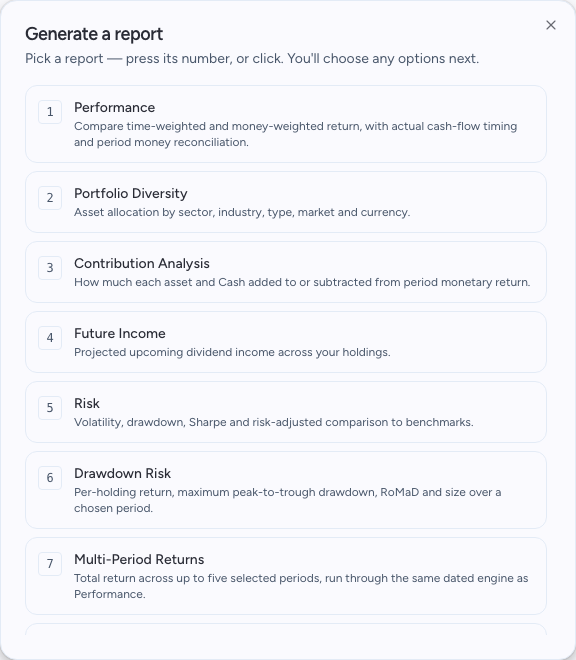
The sample reports use fictional portfolio figures to show what you can review and export.
Performance
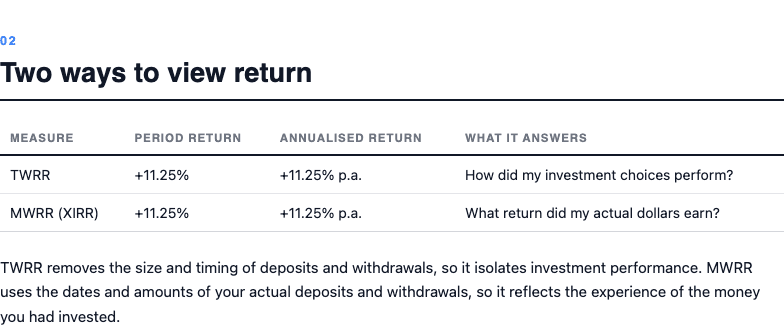
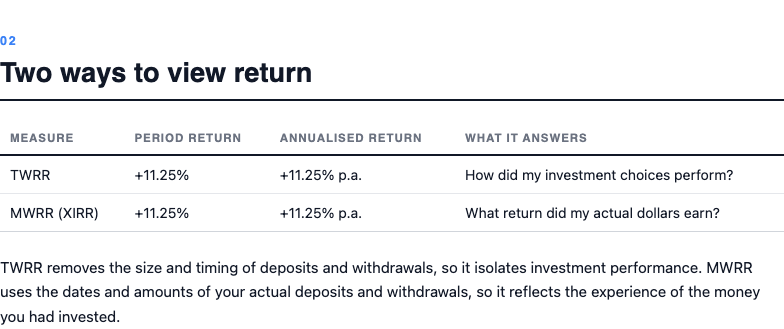
Review the portfolio's return over a supported period. Compare TWRR and MWRR to understand the effect of cash-flow timing. The report reconciles opening value, closing value, flows, and monetary return.
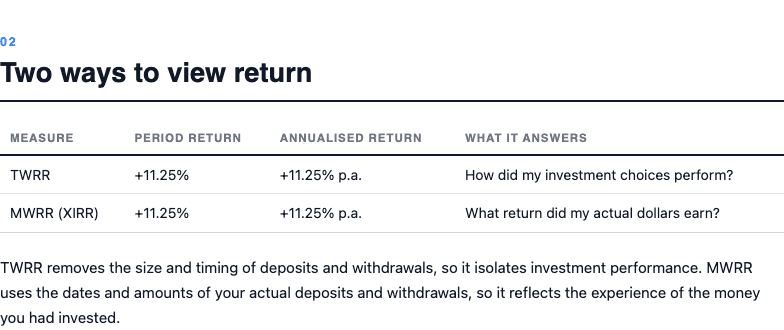
Both return methods appear together; this sample has no external cash flows. View full size
Contribution Analysis
See how each asset and Cash added to or subtracted from period monetary return. Sold and event-only positions can be included. Contribution share is based on monetary contributions, not today's position weight multiplied by gain since purchase.
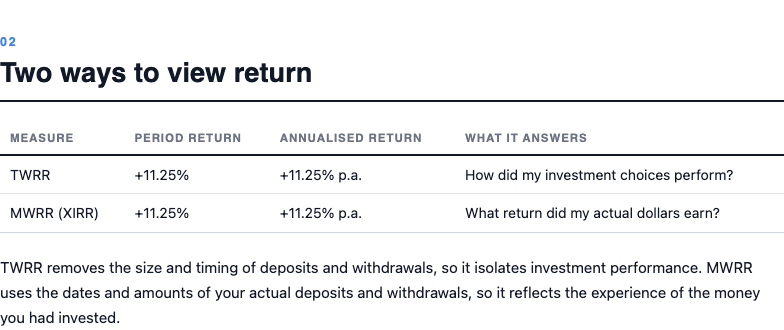
Read each holding’s contribution alongside Cash; the amounts reconcile to the period result. View full size
Multi-Period Returns
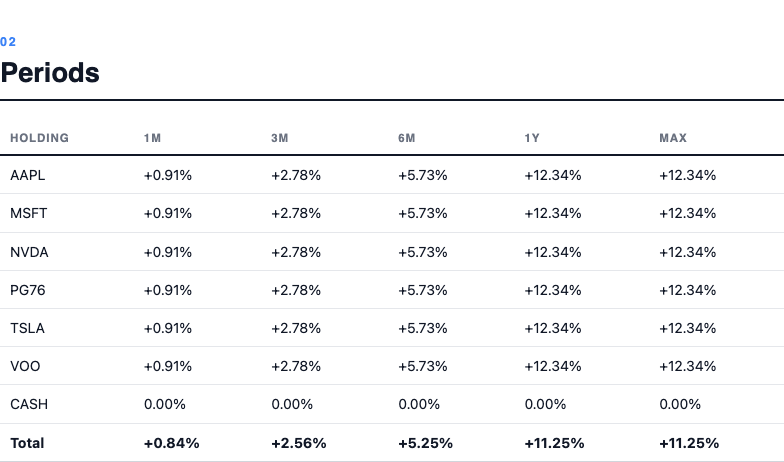
Compare up to five selected intervals using the same dated method as Performance. Read the actual dates and unavailable components for each interval.
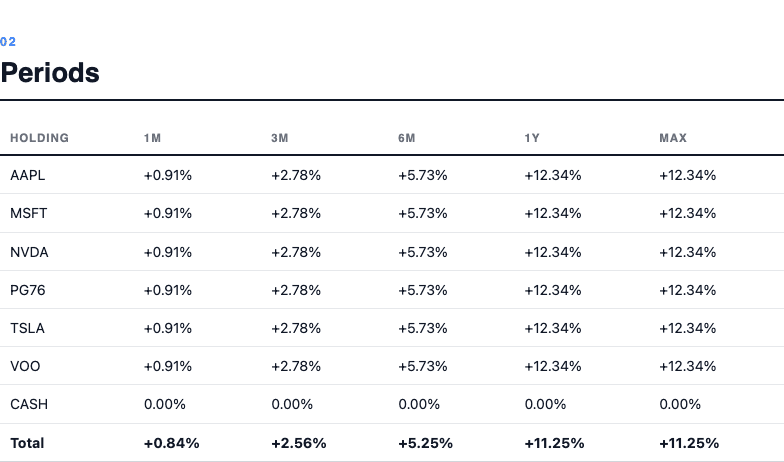
Compare the actual windows and their return figures. View full size
Portfolio Diversity
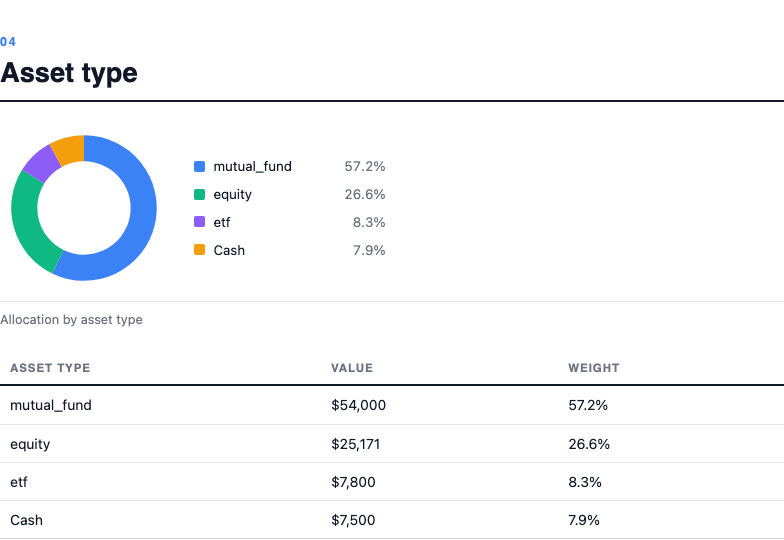
Review allocation across categories such as sector, industry, asset type, market, country, currency, and available custom groups. Cash, Unknown, and Not applicable remain visible. Negative exposures may use tables instead of pie charts.
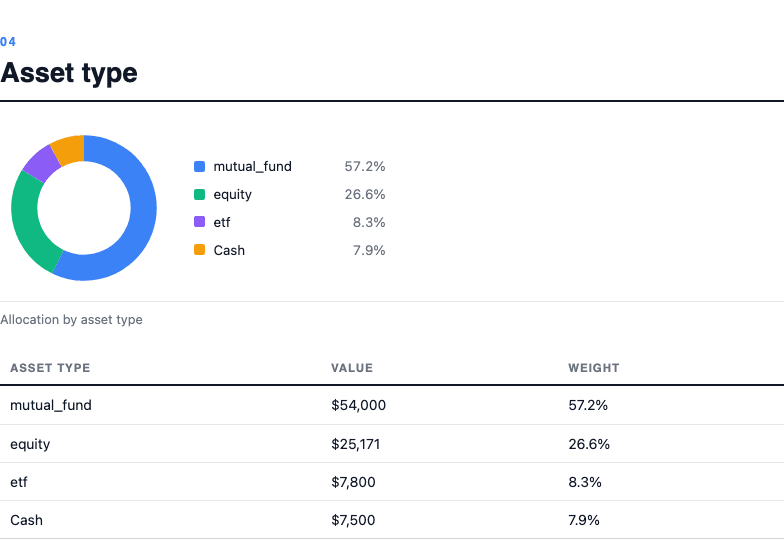
An asset-type breakdown from the example portfolio, including cash. View full size
Exposure
Inspect company exposure across direct holdings and supported ETF constituents. Missing or incomplete constituent data limits the look-through result; a fund name alone does not describe all underlying exposure.
Risk
Review portfolio volatility, drawdown, Sharpe ratio, and benchmark comparisons for the selected period. These describe historical behavior. Missing metrics carry an availability reason.
Drawdown Risk
Compare individual holdings by return, maximum drawdown, size, and return over maximum drawdown (RoMaD). A holding may have a shorter supported history than the portfolio: check its dates before ranking it against another.
Future Income
Review projected dividend income by holding and payment date. Distinguish announced payments from estimated payments. Estimates depend on available history and may change; inspect missing tax, withholding, or currency information.
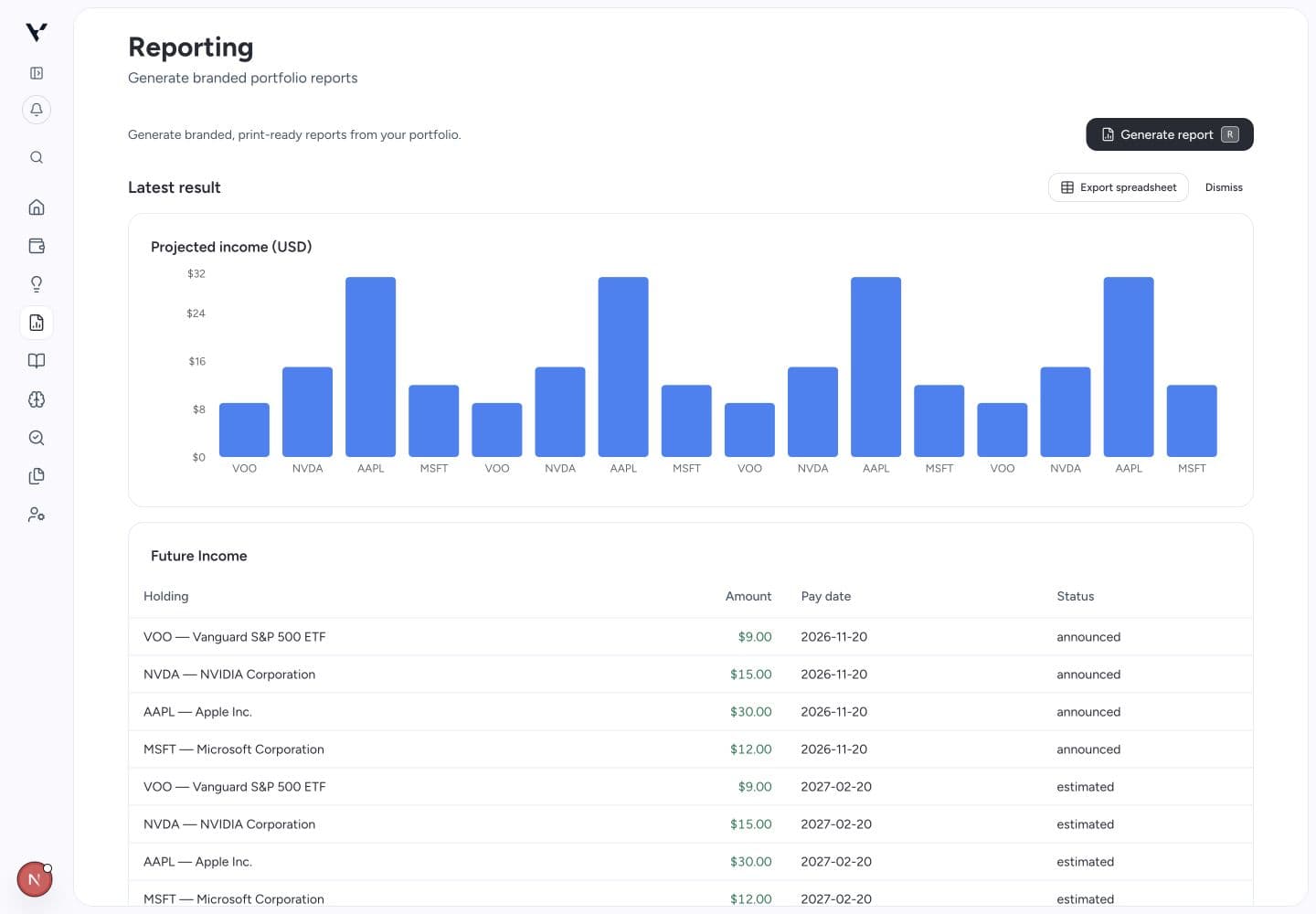
Compare the chart with the event rows. Example figures shown. View full size
Calendar
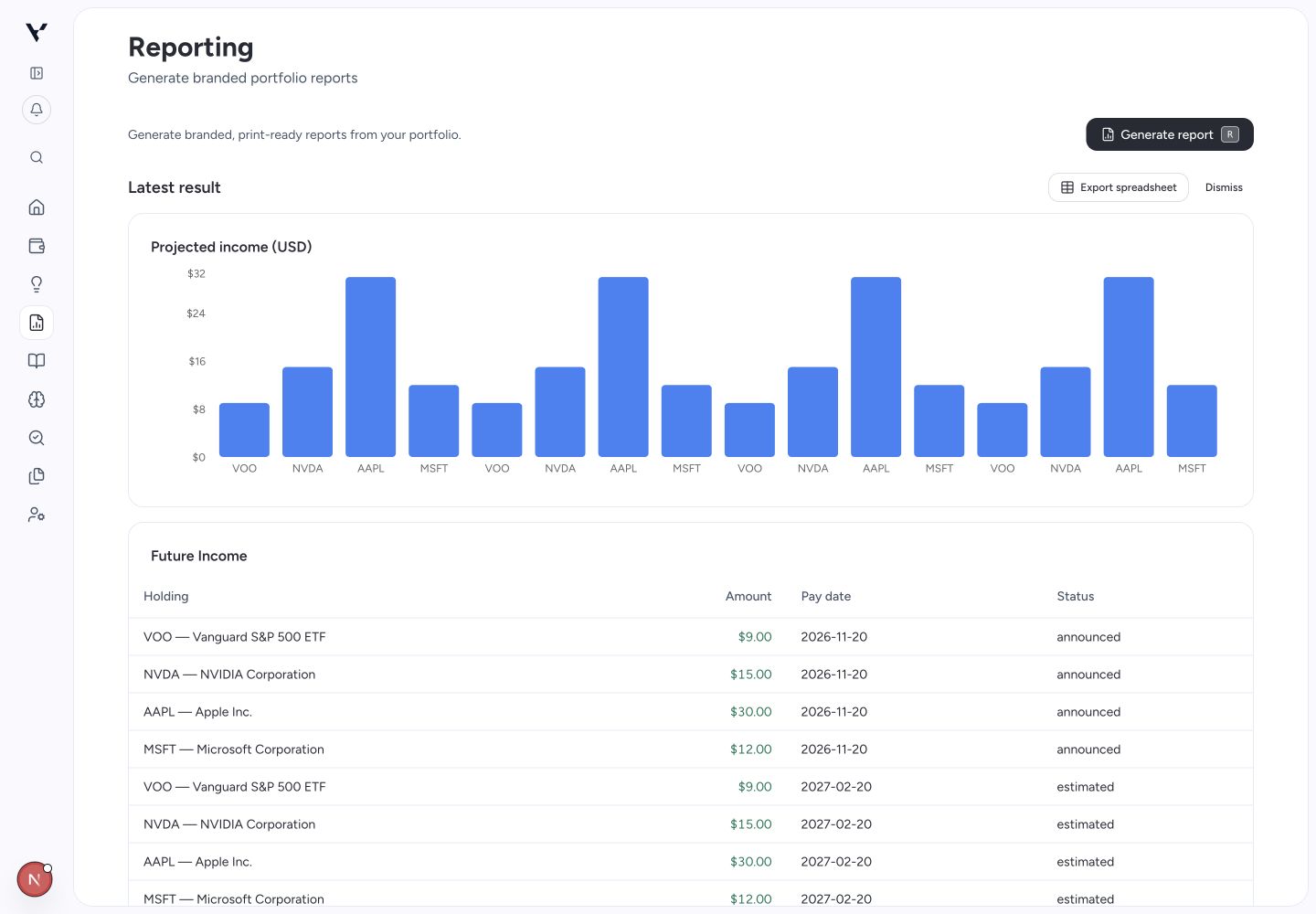
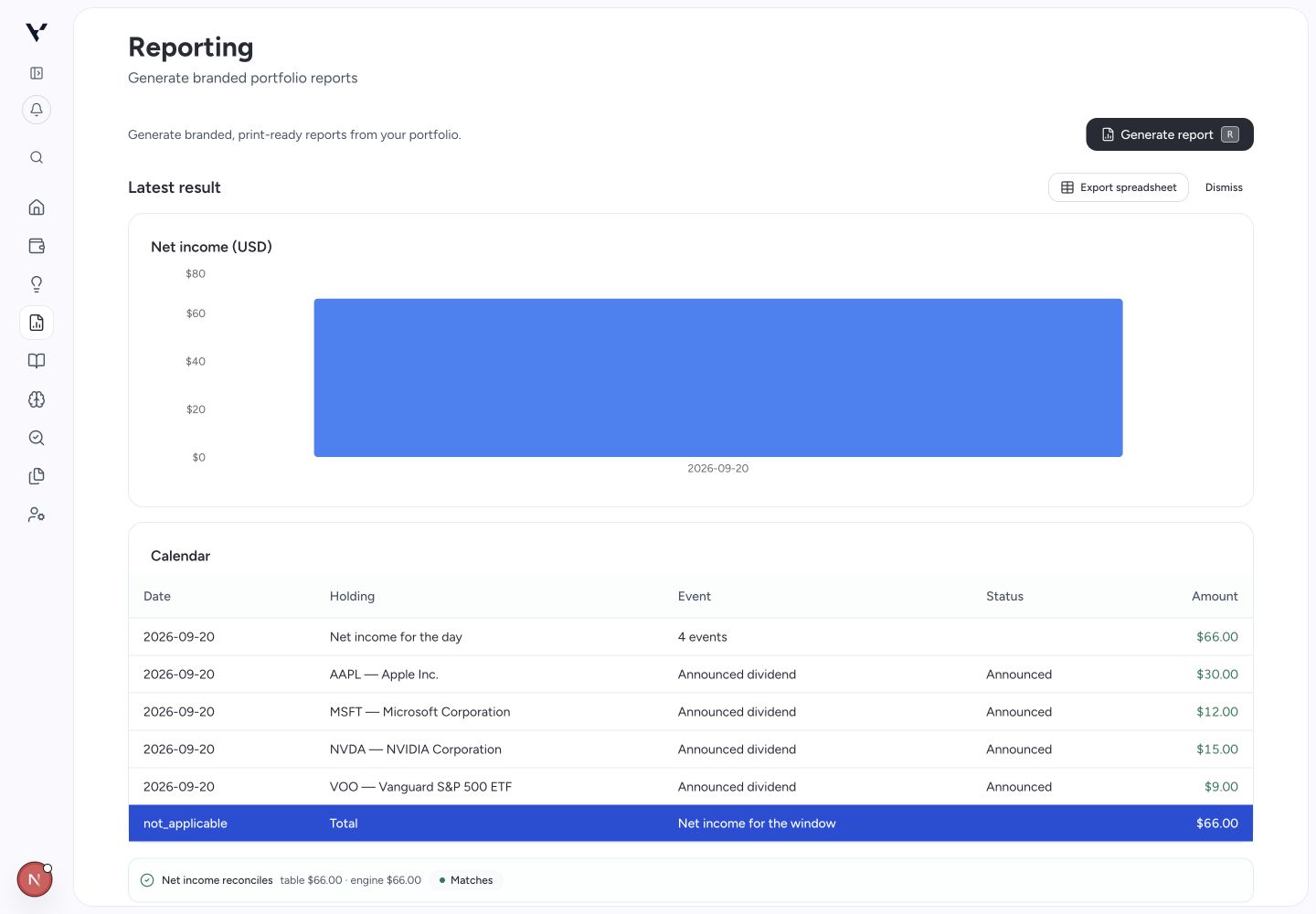
See portfolio income events by payment date. Leave the dates empty for the current month, or enter From date and Through date before generating. Read each row’s event, status, and amount; estimated events are not confirmed payments.
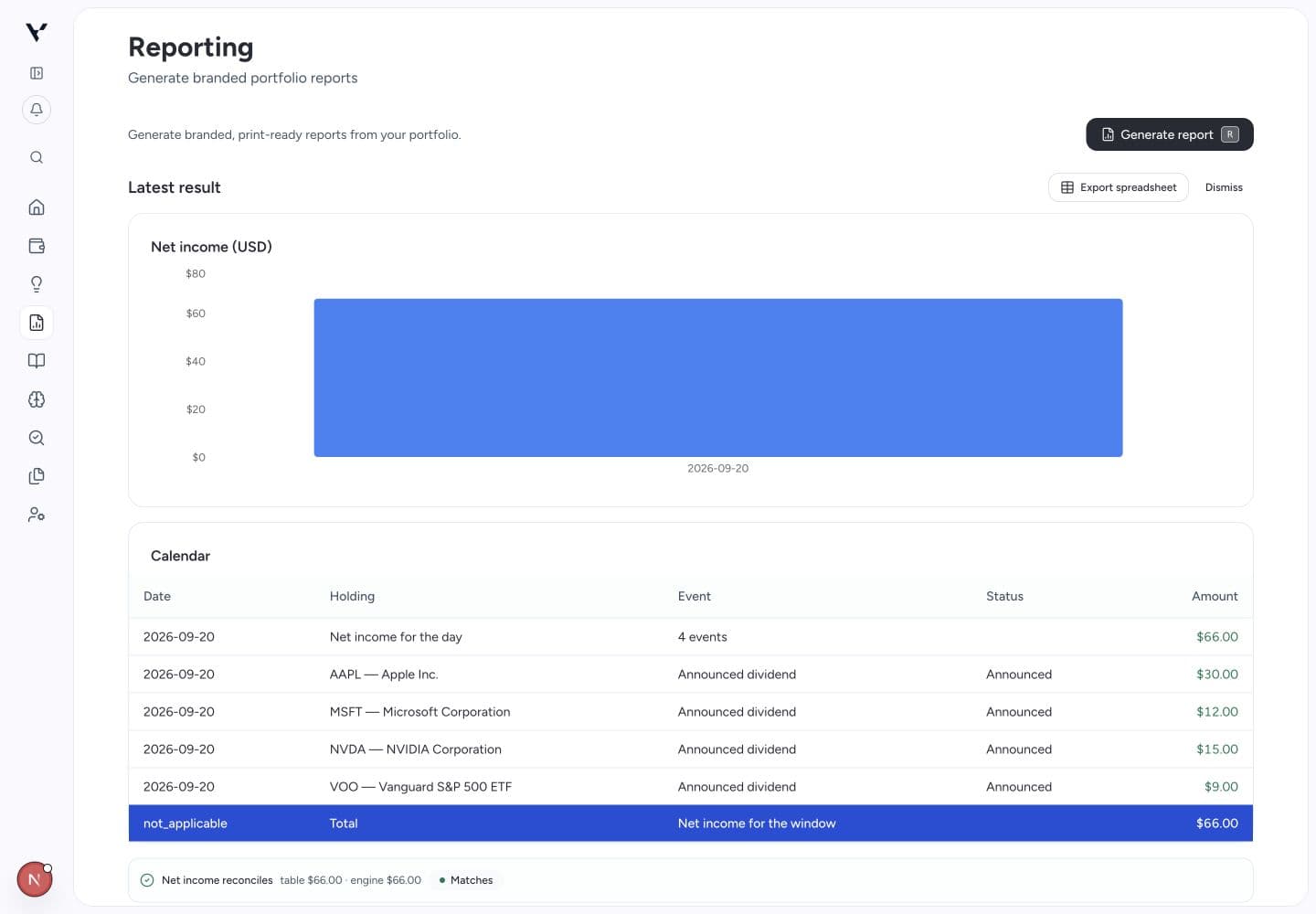
Check when income is expected and which holdings contribute to it. Example figures shown. View full size
Multi-Currency Valuation
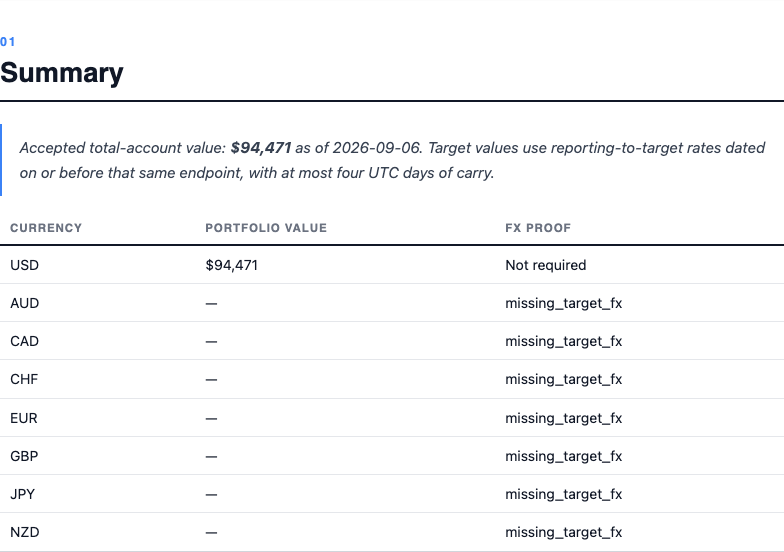
View portfolio value across currencies using the report's dated valuation and exchange-rate evidence. Changes between reports may come from holdings, prices, cash flows, or FX. This is not a separate calculation of FX profit.
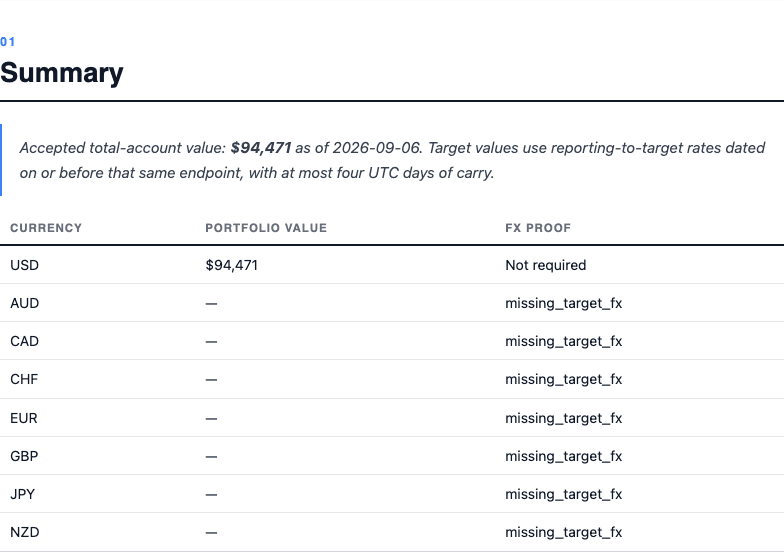
Supported USD values are shown; missing exchange-rate evidence remains unavailable. View full size
Sold Securities
Review disposals, proceeds, and realized results where the available lot history supports them. Incomplete purchase history can make a gain unavailable. This report does not establish your tax treatment.
All Trades
Inspect stored broker transactions with quantities, prices, fees, currencies, and account details. Use it to investigate discrepancies. It reflects the transactions Vexton received, which may not be the broker's entire history.
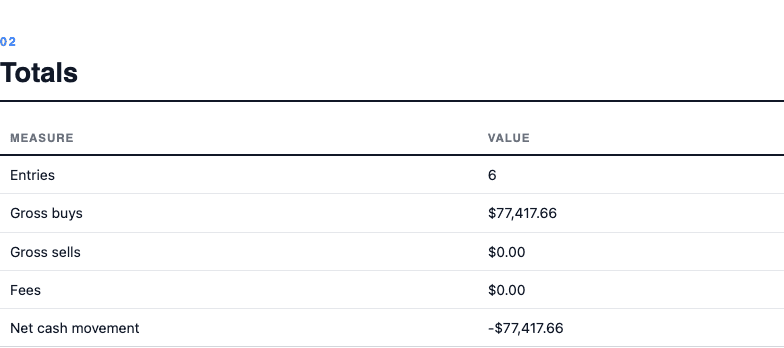
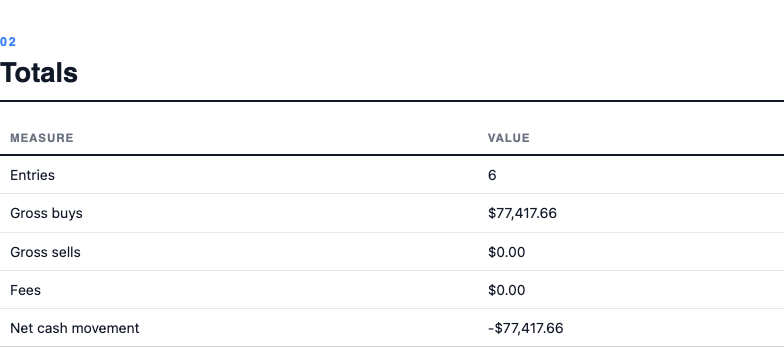
Sample opening purchases with their dates, quantities, currencies, and account details. View full size
Historical Cost
Review cost reconstructed from purchase lots. Cost is published only where the lot history reconciles with the quantity held. A manual current cost basis does not fill missing historical trades.